IT Operations is not limited to simply “keeping systems running”; it is a critical factor in ensuring security, performance, and scalability. For CTOs and IT Managers, a clear IT operations checklist serves as a practical tool to control risks, optimize resources, and maintain system stability. This article focuses on a detailed IT operations checklist and practical notes that IT leaders can apply immediately.
1. Why Is an IT Operations Checklist Necessary?
In the enterprise landscape of 2026, IT systems are becoming increasingly complex with the adoption of multi-cloud, hybrid cloud, microservices, AIOps, IoT, and related technologies. Operating and maintaining stable systems has become a major challenge for CTOs and IT Managers. An IT operations checklist is not merely a list of technical tasks; it is a strategic tool to reduce risk and optimize operational efficiency.
Challenges in Modern IT Operations
Multi-platform, distributed systems: Enterprises operate across multiple environments (on-premises, private cloud, public cloud), making resource management and system monitoring more complex.
Downtime risks: Even a few minutes of service disruption can cause losses of hundreds of thousands of USD, especially in industries such as e-commerce, finance, and logistics.
Increasing security risks: From ransomware and phishing attacks to compliance violations (GDPR, ISO 27001, NIST).
Pressure to optimize costs: Inefficient system operations can lead to wasted cloud resources and high maintenance costs.
Risks of Lacking a Standardized Checklist
Delayed incident handling due to the absence of clear action procedures.
Prolonged downtime because IT teams do not know which issues to prioritize first.
Overlooked security gaps (unpatched vulnerabilities, misconfigured access control).
Lack of transparency and accountability, with no clear basis to evaluate operational effectiveness or assign responsibility when incidents occur.
Benefits of an IT Operations Checklist
Standardized operational processes: All incidents and operational activities follow clear guidelines, reducing human error.
Faster response times: IT teams have a ready operational “playbook” and do not waste time searching for solutions during critical situations.
Business continuity assurance: Systems are supported by defined backup, recovery, and periodic upgrade plans.
Support for governance and decision-making: CTOs and IT Managers can more easily monitor operations, report to executive management, and plan long-term system upgrade roadmaps.
In other words, an IT operations checklist acts as a protective shield for the enterprise against downtime, security risks, and unnecessary costs.
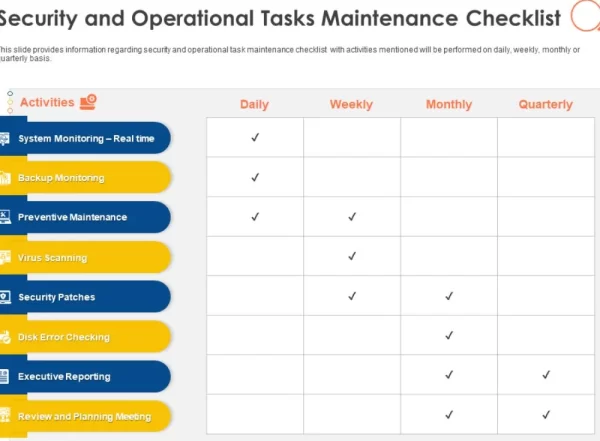
Reasons for using a checklist in IT operations. Source: SlideTeam
2. IT Operations Checklist for CTOs & IT Managers
This checklist is divided into five core areas, each covering specific operational tasks that CTOs and IT Managers need to ensure are executed on a regular basis (daily / weekly / monthly / quarterly).
2.1. Monitoring & Performance
Objective: Ensure continuous system availability, stability, and optimal performance.
Detailed Checklist:
Infrastructure
Check CPU, RAM, disk, and network usage across all servers and cloud VMs.
Monitor I/O bottlenecks (database, file systems).
Ensure storage utilization does not exceed 80% capacity.
Applications & Services
Monitor application response time (web applications, APIs).
Set up Application Performance Monitoring (APM) tools (e.g., New Relic, Datadog, Prometheus).
Review error rates in logs and incoming requests.
Resource Optimization
Review cloud costs (AWS, Azure, GCP) to identify over-provisioned resources.
Adjust auto-scaling rules to avoid unnecessary resource consumption.
Alerting & Automation
Configure threshold-based alerts (e.g., CPU > 85%, slow database queries, increased network latency).
Integrate alerts with Slack / Teams / Zalo to enable rapid response.
Build self-healing scripts for common issues (service restarts, cache clearing, traffic re-routing).
2.2. Security & Compliance
Objective: Protect systems against cyber threats and ensure compliance with international standards (ISO 27001, GDPR, NIST).
Detailed Checklist:
Access Management
Enforce Multi-Factor Authentication (MFA) for all administrative accounts.
Review role-based access control (RBAC) to prevent excessive privileges.
Remove or disable accounts of departed employees.
Infrastructure Security
Apply operating system patches and software updates (OS patches, library updates).
Review firewall rules, security groups, and network segmentation.
Deploy Intrusion Detection Systems (IDS) and Intrusion Prevention Systems (IPS).
Data Protection
Verify backup and restore mechanisms (daily / weekly).
Encrypt data at rest (disk, databases) and in transit (SSL/TLS).
Monitor data leakage using DLP systems.
Compliance & Auditing
Maintain comprehensive logging and ensure log integrity.
Conduct regular security audits (monthly / quarterly).
Review and align security policies with ISO 27001 standards.

Suggested IT operations checklist sections for CTOs or IT Managers. Source: Infraon
2.3. Incident & Recovery Management
Objective: Minimize downtime and restore systems as quickly as possible when incidents occur.
Detailed Checklist:
Incident Detection & Alerting
Integrate monitoring systems with incident management tools (PagerDuty, Opsgenie).
Classify incidents by severity levels (Critical, Major, Minor).
Incident Handling
Develop runbook SOPs (Standard Operating Procedures) for common issues (database overload, network outages, DDoS attacks).
Maintain an emergency contact list: DevOps team, Security team, cloud vendors, ISPs.
Record detailed incident logs (timestamp, root cause, resolution steps, responsible owner).
Recovery & Business Continuity Planning (BCP)
Conduct backup recovery drills on a regular basis (at least once per month).
Maintain a Disaster Recovery (DR) site in a separate location.
Ensure RPO (Recovery Point Objective) and RTO (Recovery Time Objective) targets are met.
Post-mortem
After each incident, conduct a retrospective meeting to capture lessons learned.
Update runbooks and checklists to prevent recurrence.
2.4. Upgrade & Optimization
Objective: Keep systems aligned with business needs and prevent technology obsolescence.
Detailed Checklist:
Software & System Upgrades
Define a patching cycle for operating systems, databases, and middleware.
Validate compatibility during upgrades (test in staging environments before production).
Upgrade network device firmware (routers, firewalls, IoT devices).
Performance Optimization
Review database queries and index optimization on a monthly basis.
Perform application benchmarking periodically to establish performance baselines.
Review container orchestration scaling rules (Kubernetes, Docker Swarm).
Automation Improvements
Implement Infrastructure as Code (IaC) using tools such as Terraform and Ansible.
Integrate CI/CD pipelines to minimize downtime during releases.
Build an observability stack (metrics, traces, logs) to support DevOps operations.
2.5. People & Process
Objective: Ensure the IT team has sufficient skills, clear processes, and consistent operational practices.
Detailed Checklist:
IT Workforce Management
Maintain an updated system ownership mapping for all systems.
Ensure at least two backup resources for each critical role.
Provide regular training on cloud, DevOps, AIOps, and security.
Processes & Policies
Define Service Level Agreements (SLAs) for each service.
Standardize the Change Management Process (aligned with ITIL).
Enforce access control based on the least privilege principle.
Communication & Reporting
Deliver weekly IT operations reports to the CTO and Board.
Conduct incident simulation exercises (fire drills) on a quarterly basis.
Maintain emergency communication channels (Slack, Microsoft Teams, Zalo).
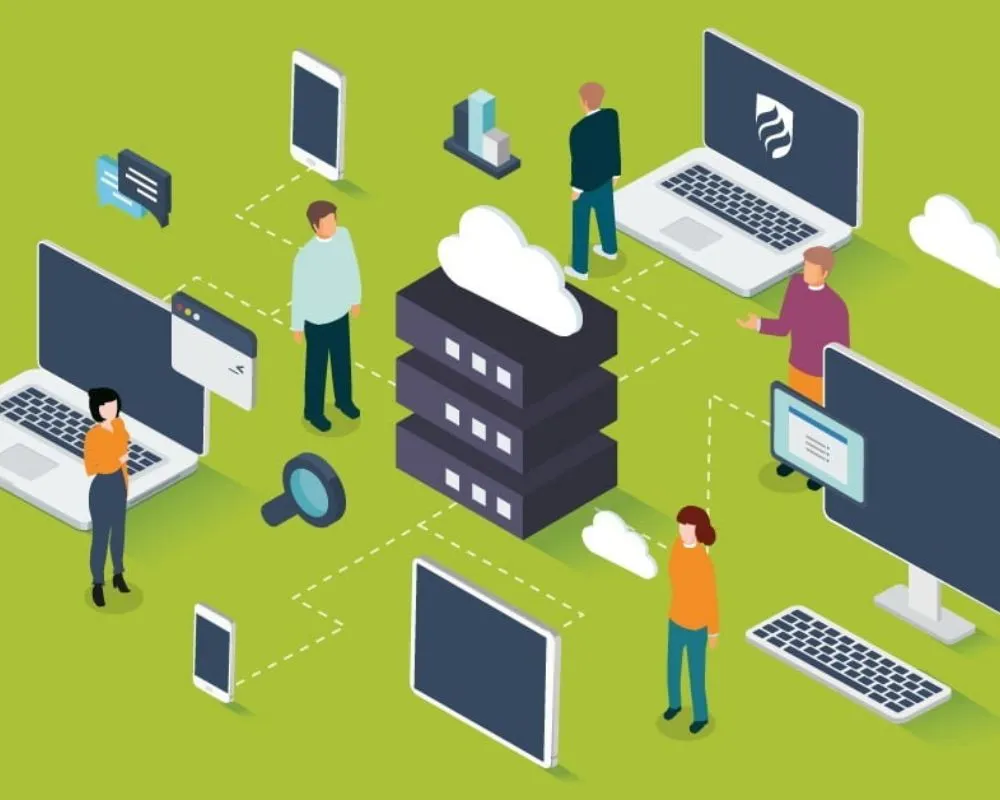
Essential components of an IT operations checklist. Source: LinkedIn
3. Notes for CTOs & IT Managers
A checklist only delivers real value when it is applied with the right mindset and governance strategy. As a CTO or IT Manager, your role is not limited to “technical checks”; you should view the checklist as a risk management tool, an operational optimization framework, and a way to create competitive advantage for the business.
3.1. A Checklist Is Not a One-Time Task but a Continuous Loop
Do not treat the checklist as a simple to-do list that is completed once and forgotten.
A checklist must be reviewed and continuously improved (at least quarterly) because:
Technology constantly evolves (cloud updates, new tools, emerging threats).
Business models change (market expansion, new services).
Team structures change (onboarding and offboarding).
Recommendation: Apply the PDCA model (Plan – Do – Check – Act) to continuously improve the checklist.
3.2. Balancing Cost and Risk
CTOs are often “trapped” between limited budgets and the expectation of 99.99% uptime.
Recommendations:
Define a clear Risk Appetite for each system.
For core business systems (ERP, e-commerce, payment platforms) → invest heavily (High Availability, DR site, SOC).
For supporting systems → apply reasonable controls and avoid over-engineering.
Tip: Always present the cost of one hour of downtime to executive management to justify O&M budgets.
3.3. Automate as Much as Possible
Highly manual checklists increase the risk of omissions and over-reliance on individuals.
CTOs should guide DevOps teams toward:
Infrastructure as Code (IaC): Terraform, Ansible, Pulumi.
Automated Monitoring & Alerting: Prometheus, Grafana, ELK, Datadog.
ChatOps: Incident alerts and handling directly via Slack or Microsoft Teams.
Outcome: Reduced MTTR (Mean Time to Recovery) and faster response times.
3.4. Link the Checklist to Clear KPIs and SLAs
A checklist is only useful if its effectiveness can be measured.
CTOs should define KPIs such as:
System Availability (Uptime %).
MTTR (Mean Time to Recovery).
MTSP (Mean Time to Security Patch).
SLA response time (e.g., critical incidents must be acknowledged within 15 minutes).
These KPIs should be reported regularly to executive leadership to demonstrate the value of IT Operations & Maintenance (O&M).
3.5. Use the Checklist as a “People Training Tool”
New IT staff typically need significant time to understand complex systems.
A detailed checklist functions as a living playbook for fast onboarding:
New team members can follow the checklist to handle basic operations.
Experienced staff use it to avoid missing critical steps.
CTOs should encourage the team to update the checklist whenever new cases or issues are discovered.
3.6. Always Prepare for the Worst-Case Scenario
Even the best checklist cannot guarantee 100% safety.
CTOs must adopt the mindset: “Failure will happen—be ready.”
Key considerations:
Always maintain offline backups in addition to cloud backups.
Regularly conduct disaster recovery drills (e.g., data center outage, ransomware attack).
Have a clear communication plan for customers and internal teams during downtime.
3.7. Customize the Checklist for Each Organization
There is no universal checklist that fits all organizations.
CTOs and IT Managers should tailor the checklist based on:
Industry (finance, manufacturing, e-commerce, logistics).
System scale (SMEs vs. multinational enterprises).
Regulatory requirements (e.g., PCI DSS for FinTech, HIPAA for Healthcare).
Recommendation: Build three checklist levels—basic, advanced, and expert—to align with different stages of company growth.
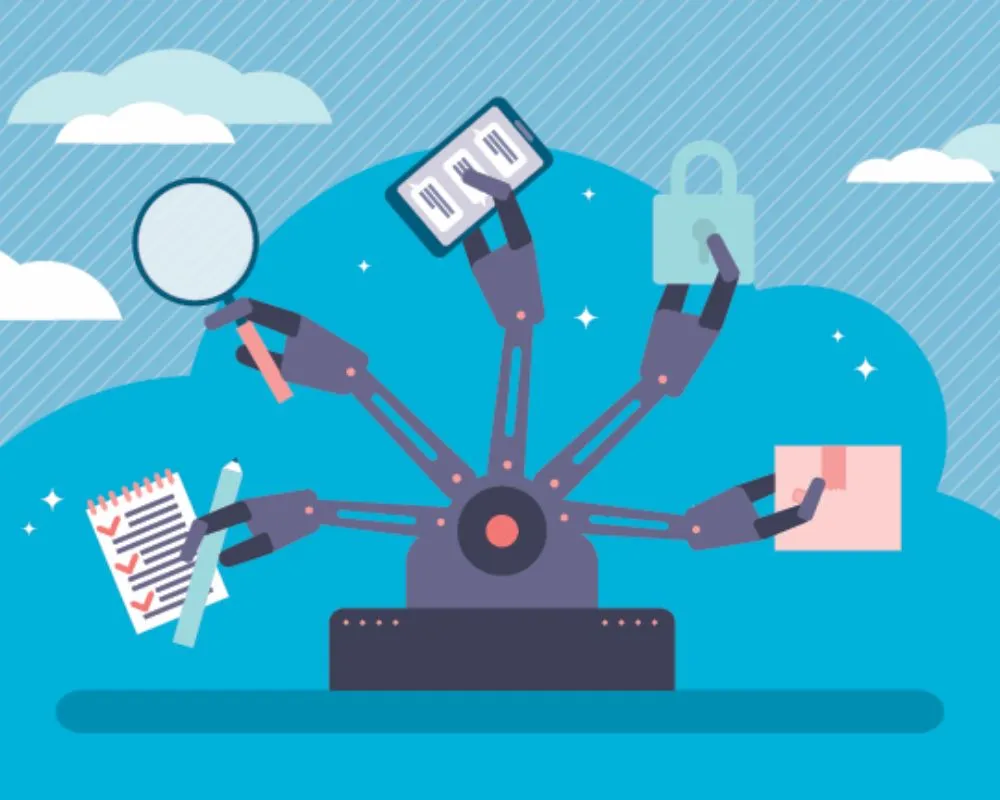
Key considerations for IT operations checklists at the management level. Source: Twitter
4. Conclusion
In the digital era, IT operations are no longer just a technical function—they are a critical foundation that enables enterprises to operate reliably, securely, and at scale.
An IT operations checklist serves as a strategic roadmap that helps CTOs and IT Managers:
Achieve comprehensive performance monitoring.
Ensure security and regulatory compliance.
Proactively handle incidents and optimize operations.
Train teams and standardize operational processes.
A well-structured, flexible, KPI-driven checklist not only minimizes downtime but also helps organizations maintain a competitive edge in an increasingly volatile environment.
If you are a CTO or IT Manager looking for a modern IT operations and maintenance framework, BAP IT is ready to support you. With hands-on experience delivering O&M services, AIOps, Cloud Operations, and IT outsourcing for clients across Japan, Singapore, Vietnam, South Korea, and beyond, we are committed to building systems that are stable, secure, and future-ready. Contact BAP IT today to receive tailored consulting solutions that fit your business needs.