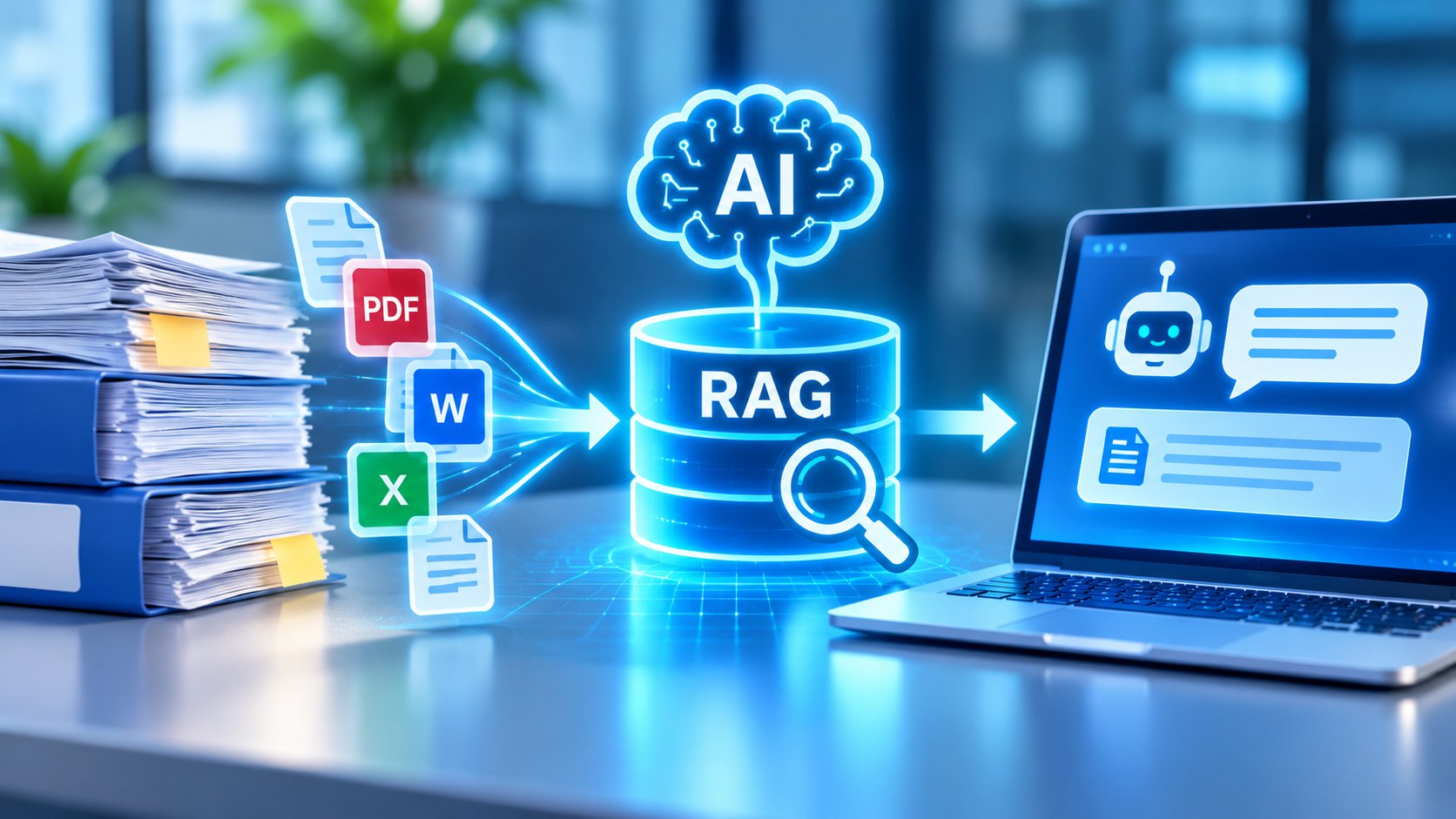
GENERATIVE AI × ENTERPRISE KNOWLEDGE
Turn Enterprise Documents into Actionable Knowledge
AI-powered document search and knowledge retrieval with RAG
→
RAG Retrieval
→
Source-Grounded Answers
Make existing business information easier to find, verify, and use.
GENERATIVE AI / ENTERPRISE KNOWLEDGE
Struggling to find the right internal document or answer the same employee questions repeatedly? Generative AI may help—but it needs access to the right information.
Organizations accumulate large volumes of operating procedures, product specifications, quality documents, internal policies, and FAQs. Yet this information is often scattered across PDFs, spreadsheets, shared drives, and enterprise systems, making it difficult for employees to locate reliable answers quickly.
Retrieval-Augmented Generation (RAG) addresses this challenge by retrieving relevant information from enterprise knowledge sources and supplying it to a large language model (LLM) when generating responses.
This article explains how RAG works, how businesses can use it with existing documents, where it delivers value, what security and accuracy challenges to consider, and how to move from a proof of concept (PoC) to production.
What You’ll Learn
- What RAG is and how it differs from a standard generative AI application
- How to use PDFs, Excel files, and internal manuals for AI-powered search
- Practical use cases in manufacturing, IT support, and sales
- Key considerations for accuracy, data security, and system integration
- A five-step roadmap for RAG PoC development and production deployment
01. What Is RAG? Connecting Generative AI with Enterprise Knowledge
Retrieval-Augmented Generation (RAG) is an approach that retrieves relevant information from external knowledge sources and provides that information to an LLM as context for generating a response.
Traditional generative AI applications primarily rely on a model’s learned knowledge and information supplied in the conversation. They do not automatically know an organization’s latest procedures, internal policies, or proprietary product specifications.
RAG enables an AI application to reference relevant enterprise documents when answering questions, making it particularly useful for internal knowledge assistants, document search, and enterprise AI chatbots.
| Comparison | Standard Generative AI | RAG-Powered AI |
|---|---|---|
| Information sources | Model knowledge and user-provided context | Retrieved enterprise information in addition to model knowledge |
| Internal knowledge | Must be supplied separately | Can be accessed through a retrieval system |
| Information updates | Model knowledge is not easily updated | Knowledge sources and search indexes can be updated |
| Answer verification | Sources may be difficult to verify | Source references and citations can be provided |
RAG does not guarantee factual accuracy or eliminate hallucinations. Its effectiveness depends on document quality, retrieval performance, and how the AI model uses the retrieved information.
02. How Can RAG Search PDFs, Excel Files, and Internal Manuals?
One of the main advantages of RAG is the ability to build an AI-powered search experience around documents an organization already maintains.
- PDFs: Product specifications, technical manuals, operating procedures, and company policies
- Word documents: Internal guidelines, meeting notes, and process documentation
- Excel files: Product catalogs, structured FAQs, inventories, and reference tables
- Internal wikis: Departmental knowledge, instructions, and historical support information
- Enterprise systems: Relevant information made available through CRM, ERP, or other business applications
However, simply uploading documents to an AI application is not always enough. Scanned PDFs may require optical character recognition (OCR), while complex spreadsheets may need structure-aware processing to preserve relationships between rows, columns, and values.
A typical RAG workflow includes the following steps.

RAG WORKFLOW
From Enterprise Documents to AI-Generated Answers
STEP 1 | Collect Knowledge Sources
PDFs · Excel · Manuals · Internal Wikis
↓
STEP 2 | Process and Index Content
Text extraction · Chunking · Search indexing
↓
STEP 3 | Retrieve Relevant Information
Keyword search · Vector search · Hybrid retrieval
↓
STEP 4 | Generate a Contextual Answer
The LLM uses the question and retrieved information
↓
STEP 5 | Present the Answer and Sources
For tasks involving exact calculations, live inventory balances, or transactional data, document retrieval alone may not be sufficient. A database query, business API, or other structured integration may be more appropriate.
03. Three Business Benefits of RAG for Enterprise Knowledge Management
1. Faster access to relevant information
Instead of navigating multiple folders and systems, employees can ask questions in natural language and receive relevant answers with supporting documents. This can reduce the effort required to locate information.
2. More efficient internal support
HR, IT, administration, and support teams often handle repetitive questions. A RAG-powered assistant can retrieve policies and FAQs to suggest consistent responses, potentially reducing manual workload.
3. Better reuse of organizational knowledge
When operating procedures, historical cases, and specialist expertise are properly documented, RAG can make that knowledge easier for new employees and other departments to access.
How should businesses measure RAG value?
Successful deployment should be measured by operational outcomes—not simply whether the chatbot produces an answer. Useful indicators include time spent searching for information, support resolution time, answer correction rates, and employee adoption.
04. Enterprise RAG Use Cases: Manufacturing, Internal Support, and Sales
RAG is particularly relevant to workflows that require employees to consult large collections of documents and reference materials.
| Business Area | Knowledge Sources | Potential Benefits |
|---|---|---|
| Manufacturing | Equipment manuals, quality standards, work instructions | Faster access to technical and operational guidance |
| Internal Help Desk | Company policies, IT documentation, FAQs | More efficient handling of recurring inquiries |
| Sales Enablement | Product specifications, proposals, sales playbooks | Less time spent searching and preparing proposals |
| Customer Support | Product FAQs, support histories, troubleshooting guides | Suggested responses and more consistent support workflows |
In manufacturing, for example, an employee might enter an equipment error code and receive relevant maintenance manual sections or inspection procedures. This can help employees locate documentation more efficiently.
However, safety-critical decisions and equipment operations should always follow approved procedures and appropriate human review. AI-generated responses should not replace qualified personnel or mandatory safety controls.
Note: These are illustrative use cases, not claims of specific customer implementations or measured project results.
05. Key Challenges: RAG Accuracy, Data Security, and System Integration
Building a production-ready RAG system requires more than connecting an LLM to a document repository. Organizations should evaluate several critical factors.
1. Retrieval accuracy and hallucinations
Even when the correct document exists, the retrieval system may fail to find it. An LLM may also misinterpret retrieved content or add unsupported information. Retrieval quality and answer quality should be evaluated separately.
2. Confidential information and access controls
Enterprise data may contain personal information, customer records, and restricted business documents. Search results and generated answers must respect user permissions, and organizations should understand where information is processed and transmitted.
3. Integration with existing enterprise systems
RAG applications may need to connect with internal portals, document management platforms, CRM, ERP, or other business applications. API integration and data synchronization should be designed around existing workflows.
4. Knowledge updates and ongoing maintenance
When manuals or policies change, the retrieval index must be updated accordingly. Monitoring, document ownership, access reviews, and regular evaluation are essential for long-term reliability.
Importantly, RAG does not automatically make enterprise data secure. Whether an organization chooses a cloud-based, private, or on-premises deployment, security architecture must address authentication, authorization, logging, data retention, and external data transfer requirements.
06. How to Implement RAG: A Five-Step Roadmap from PoC to Production
Rather than deploying RAG across an entire organization immediately, businesses can start with a clearly defined use case and expand after validating performance and operational value.
STEP 01 | Define the Use Case and KPIs
Identify the target workflow, such as internal support or technical document search. Establish metrics for retrieval quality, answer accuracy, response time, and business impact.
STEP 02 | Assess and Prepare Enterprise Data
Review document formats, completeness, update frequency, ownership, and access permissions. Prepare the content for reliable retrieval.
STEP 03 | Develop and Evaluate the RAG PoC
Build an initial retrieval and generation workflow. Test it with representative questions and verified reference documents to identify gaps in retrieval and answer quality.
STEP 04 | Integrate Systems and Design Operations
Connect the solution to relevant business applications and implement authentication, authorization, logging, error handling, and maintenance processes.
STEP 05 | Deploy, Monitor, and Improve
Launch with a limited user group, monitor performance and cost, collect feedback, and expand the deployment as the solution proves its value.

RAG IMPLEMENTATION ROADMAP
Five Steps from RAG PoC to Production
→
Data Preparation
→
PoC & Evaluation
→
Integration
→
Production
Validate a focused use case before scaling across the organization.
During the PoC, organizations should create a representative evaluation dataset containing user questions and verified source documents. Measuring whether the system retrieved the right information, generated a supported answer, and helped users complete their tasks provides a more reliable basis for deployment decisions.
07. Enterprise RAG and Generative AI Development with BAP
Deploying RAG in a real business environment requires expertise beyond language models. A successful implementation must consider enterprise data preparation, search architecture, system integration, security controls, and ongoing operations.
BAP supports organizations with generative AI, RAG, AI agent development, enterprise applications, web platforms, and cloud solutions. By combining AI capabilities with business system development, we help clients design solutions aligned with their operational requirements.
With development teams in Japan and Vietnam, BAP can support projects across requirements analysis, data assessment, PoC development, accuracy evaluation, enterprise integration, production deployment, and maintenance—depending on project scope.
BAP SOLUTION JAPAN
Looking to Build an AI-Powered Knowledge Search System?
Whether you want to search internal PDFs and spreadsheets, improve employee support, or connect generative AI with existing enterprise applications, BAP can help assess your requirements and explore an appropriate implementation approach.
Start with a focused RAG proof of concept and evaluate the path toward production. Contact BAP to discuss your project.
Conclusion: RAG offers a practical approach to connecting generative AI with enterprise documents, internal knowledge, and business information. It can support more efficient document discovery and employee assistance, but production success depends on reliable retrieval, source quality, security, system integration, and ongoing evaluation. Starting with a focused PoC enables organizations to validate value before expanding deployment.